


CryptoTab Browser Pro Level
4.22.98K Reviews
App Specs
- Version
- 4.4.29
- Updated On
- License
- Free
- Downloads
- 1,000,000+
- Developer
- CT Technologies
- Categories
- Communication
- Platform
- Android
Screenshots

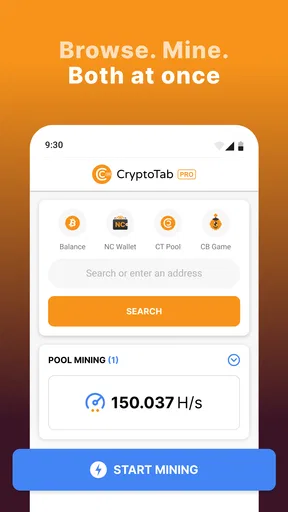
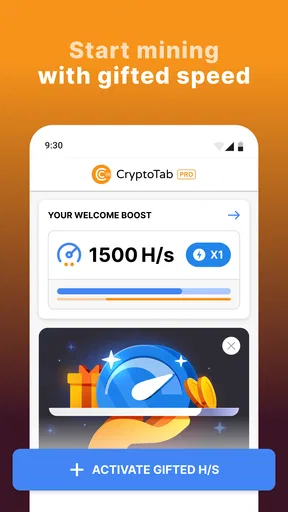
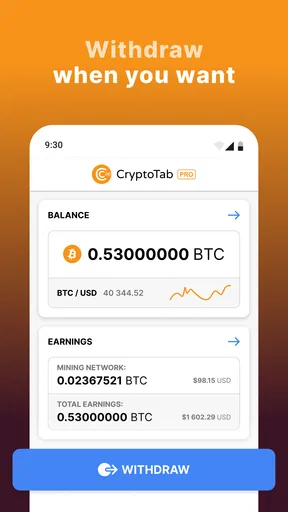
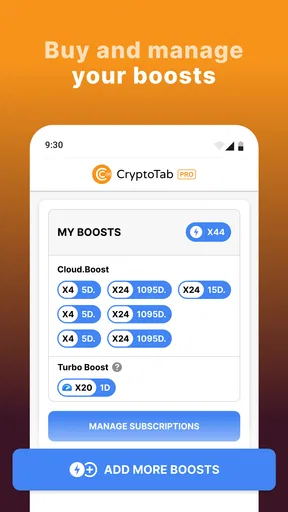
 Analysis by AppCompare
I’d treat CryptoTab Browser Pro Level as a regular mobile browser with an optional crypto-mining angle, not as a dependable way to make money. That distinction matters: browsing may be familiar, but mining adds a trade-off involving battery, heat, and responsiveness. If you’re curious about the idea and happy to experiment, it could be an interesting side project; if you need a browser that stays lean and predictable, a conventional alternative is the better fit.
What the mining idea means in everyday use
The appeal is easy to understand: instead of opening a separate mining tool, you browse as usual and let the app use some of your phone’s processing power. In practice, I would keep expectations modest. A phone is not a dedicated mining machine, and the app makes more sense as an introduction to the concept than as a serious income plan. Any result should be weighed against the extra power use and the time your device spends working.
That changes how I’d use it. I wouldn’t leave mining running automatically throughout a busy day, when I need my phone for maps, messages, calls, or work. A more sensible routine is to try it briefly while the phone is charging and you’re not relying on it for demanding tasks, then check whether the added warmth or lag is acceptable. If the experience feels uncomfortable, turning the feature down or off is a practical choice, not a failure to use the app properly.
Choosing a sensible level of activity
The ability to adjust processing power is more useful than it first sounds. It lets you make a deliberate choice between giving the browser more resources and keeping other tasks responsive. I’d start low, use the browser normally for a while, and only increase the setting if the phone remains comfortable to hold and pages still behave well. That small trial is more informative than assuming the highest setting is automatically best.
There’s also a timing trade-off. A short session while charging may be less disruptive than mining while you’re out, but charging and sustained processing together can make heat more noticeable. I’d avoid treating the phone as an unattended mining device, especially if it is already warm or you need it soon. The practical question is not just whether the feature runs, but whether the extra activity fits your habits without making the phone less useful.
Who will get the most from it
This browser is best suited to someone who likes testing unusual features, already understands that mobile mining has limits, and can tolerate a little experimentation. It may also appeal to a curious user who wants to see how a mining control interacts with ordinary browsing without buying dedicated equipment. The built-in feature keeps the experiment in one place, which is more convenient than juggling a browser and a separate mining app.
I’d skip it if your priority is long battery life, cool operation, or the least possible background activity. It is also a poor match if you expect predictable earnings or want to manage cryptocurrency as a serious investment. For those goals, a dedicated, carefully researched service—or simply a conventional browser paired with no mining at all—makes more sense. The browser’s distinctive feature is precisely the part that creates its main compromise.
Worth Reading Before You Choose

EA SPORTS FC Mobile 26 Is a Bigger Football Game, but It Takes Time

Flipboard Shows What News Apps Must Do Beyond the Feed

Switching to Android Auto Means Rethinking Your Driving Routine

Google Calendar Makes a Crowded Week Easier to Manage

Ludo King Makes the Most of the Minutes Between Plans

Baby Panda World Brings Quick Play to Modern Phones, but Its Game Library Feels Busy
A realistic day with the app
Imagine checking news and reading a few pages at home before heading out. I’d browse with mining reduced or paused while I’m getting ready, then decide whether to run a short session later when the phone is plugged in and I don’t need it for navigation. Before leaving, I’d stop the extra workload and make sure the device feels normal. This kind of selective use is more sensible than keeping mining active just because the option exists.
That routine also helps answer a common concern: will mining interfere with everyday browsing? It can, particularly when processing power is turned up, so I would not use the most demanding setting while switching among several tasks. If you notice pages responding more slowly, lower the setting or pause mining first; there’s little value in gaining a small amount of activity if the browser becomes annoying to use.
Easy Setup and User-Friendly Interface
Getting started with CryptoTab Browser Pro Level is a breeze. You simply download it from the app store, and you’re greeted with a familiar interface that looks a lot like Chrome. If you’ve used Chrome before, you’ll feel right at home. The transition is seamless, and the app even lets you import your bookmarks and settings, which is a nice touch.
Navigating through the app is straightforward, thanks to its intuitive design. All your usual browser features are there, plus a couple of extra tabs dedicated to the mining features. It’s all laid out in a way that doesn’t overwhelm, which is a relief given the complexity of cryptocurrency mining.
Mining While You Browse
Now, onto the feature everyone’s curious about: the mining. The app claims you can earn Bitcoin while you browse, and it does deliver on that promise, albeit with some caveats. First off, don’t expect to get rich overnight. The mining power is quite limited on a mobile device, but it’s a fun way to dip your toes into the world of cryptocurrencies without any serious investment.
The mining process runs in the background, and you can adjust how much processing power you want to allocate to it. This is great because it means you can still use your phone for other tasks without it slowing to a crawl. Just keep in mind that mining will drain your battery faster and may cause your phone to heat up a bit.
My most useful tip is to treat the controls as a balancing tool rather than a target to maximize. Try the browser first with mining disabled or set conservatively, then compare how the phone feels when you raise it. That gives you a clear baseline for battery use, warmth, and page responsiveness on your own device. A setting that feels fine during a quiet evening may be irritating when you’re moving between apps all day.
Performance and Stability
Performance-wise, the browser runs smoothly. Pages load quickly, and I didn’t encounter any crashes during my time with it. The app is stable and handles multiple tabs well, which is essential for any browser, especially one that’s doubling as a miner.
One thing to note is that while the app is generally stable, the mining feature can sometimes cause a slight lag, especially if you’ve cranked up the mining power. It’s a trade-off between earning a bit more crypto and keeping your phone snappy.
For comparison, a standard mobile browser is the simpler choice when all you want is quick searches, reliable everyday tabs, and less concern about a background workload. CryptoTab’s point of difference is that mining sits alongside browsing rather than requiring a separate setup. That convenience is real, but it doesn’t remove the hardware limits: people who want maximum speed or frequently use demanding sites may prefer to keep their regular browser as the default and open this one only when they want to experiment.
I’d also be selective about which tabs I keep open during a mining session. A handful of ordinary pages is a more useful test than loading many tabs and then blaming the miner for every slowdown. If a page is important—such as a work form or a booking checkout—I’d pause the extra processing first. That is a simple way to protect the task you care about while still letting you explore the feature at another time.
Security and Privacy
Security is always a concern with any app dealing with cryptocurrencies, and CryptoTab Browser Pro Level is no exception. The app claims to be secure, and it does include some nice features like password protection and two-factor authentication. However, as with any app, it’s always wise to be cautious and avoid storing large amounts of crypto in any mobile wallet.
In terms of privacy, the app doesn’t seem to collect more data than any other browser, which is reassuring. Just remember that like most browsers, it does track your browsing habits to some extent for personalized ads.
I would separate ordinary browsing confidence from the decision to keep meaningful funds in a mobile environment. Password protection and two-factor authentication are useful safeguards, but they don’t make careless account habits wise. Use a strong, unique password, protect access to the phone itself, and be cautious about links or pages asking for account details. If you already use a separate, trusted arrangement for holding cryptocurrency, there is no need to treat this browser as a replacement for it.
Privacy-minded readers should make the same practical distinction they would with any browser: a familiar interface does not automatically mean identical privacy settings or behavior to the browser they already use. I’d review the controls available inside the app and decide whether its browsing experience suits the kinds of sites I visit. For sensitive tasks, someone who already has a browser configured to their liking may prefer not to move everything over just for the mining feature.
What the price and version mean for your decision
The app is free to download, while in-app purchases range from $0.99 to $998.99 per item. I would check the purchase screen carefully before confirming anything, especially if a payment is presented as a way to increase mining activity. A large range of possible purchases makes it important to understand what each option does and whether it suits your own use; I wouldn’t spend on the strength of an assumption that faster activity will translate into worthwhile returns.
CryptoTab Browser Pro Level is developed by CT Systems and is a communication app rated for Everyone. It has a 4.1 average from around 80,000 ratings, with about 3,000 written reviews and more than 1 million installs. Version 4.4.29 requires Android 8.0 or later. It was released on January 24, 2020. Those details help set expectations about availability and audience, but they don’t answer the personal question that matters most: whether the mining trade-off feels worthwhile on your phone.
Worth the Upgrade?
The Pro Level version of the app comes with a small price tag, and the main benefit is increased mining speed. If you’re serious about earning crypto through browsing, it might be worth the investment. However, if you’re just curious or want to play around with crypto mining, the free version is a great place to start.
Before paying for a speed increase, I’d first decide what “worth it” means to me: learning how the feature behaves, keeping browsing convenient, or pursuing a meaningful return. Those are different goals. For curiosity, a free starting point is the safer way to judge the experience. For income, I’d want to understand the cost, expected activity, and the effect on my device before spending, rather than assuming an upgrade makes mobile mining competitive with dedicated hardware.
Ultimately, CryptoTab Browser Pro Level is a unique app that offers a fun twist on the standard browsing experience. It’s not a replacement for serious mining rigs or professional trading, but for a casual user or someone new to the world of crypto, it’s an interesting way to explore and earn a little extra on the side.
So, if you’re curious and have a few bucks to spare, why not give it a shot? You might not get rich, but you’ll definitely learn a thing or two about the world of cryptocurrency!
My verdict for a new user
I’d recommend trying it only if the mining experiment itself sounds interesting and you’re willing to monitor how your phone responds. Keep a conventional browser available for tasks where speed, familiar privacy settings, or dependable battery life matter more. If the extra heat, lag, or power use outweighs the novelty, there’s no reason to force the fit; the browser’s value depends on enjoying the experiment, not treating it as a financial shortcut.
Pros
- Fast browsing with built-in mining.
- Ad-free experience enhances usability.
- Supports multiple devices seamlessly.
- User-friendly interface for beginners.
- Customizable features for personalization.
Cons
- Consumes significant device resources.
- Requires a paid subscription.
- Limited mining profitability.
- Occasional stability issues reported.
- Not available in all regions.
FAQs for CryptoTab Browser Pro Level
What is CryptoTab Browser Pro Level?
CryptoTab Browser Pro Level is an enhanced version of the popular CryptoTab Browser, designed for users who want to earn cryptocurrency while browsing the web. It features a built-in mining algorithm that allows you to mine Bitcoin efficiently. The Pro version offers increased mining speed, additional security features, and a more streamlined user experience.
How does the mining feature work in CryptoTab Browser Pro Level?
The mining feature in CryptoTab Browser Pro Level works by utilizing your device's unused processing power to mine Bitcoin. The app integrates a mining algorithm that operates in the background while you browse the internet. It’s designed to be energy-efficient, ensuring minimal impact on your device's performance and battery life.
Is CryptoTab Browser Pro Level safe to use?
Yes, CryptoTab Browser Pro Level is safe to use. It provides enhanced security features to protect your data and browsing history. The app is regularly updated to address any vulnerabilities, ensuring a secure environment for users. However, always download the app from official sources to avoid potential security risks.
Can I use CryptoTab Browser Pro Level on multiple devices?
Yes, you can use CryptoTab Browser Pro Level on multiple devices. By signing into your account, you can synchronize your mining activities and browsing data across different platforms. This feature allows you to maintain consistent mining progress and access your bookmarks and settings seamlessly on various devices.
What are the main benefits of upgrading to CryptoTab Browser Pro Level?
Upgrading to CryptoTab Browser Pro Level provides several advantages, including faster mining speeds, priority support, and additional security features. The Pro version also eliminates ads, offering a cleaner browsing experience. It’s ideal for users who are serious about maximizing their cryptocurrency earnings while enjoying a smooth and secure browsing experience.


